


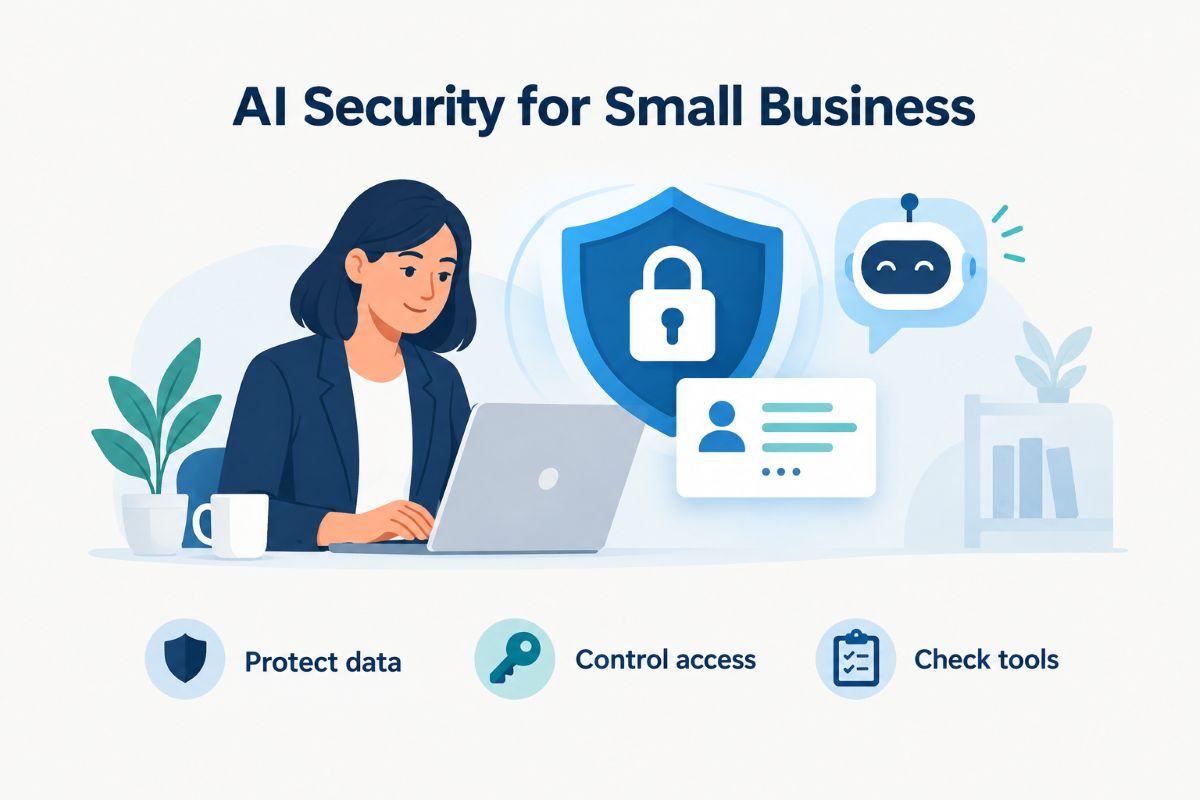
Artificial intelligence can help small businesses respond to customers, analyse sales, write marketing content and automate everyday tasks. However, using AI tools also creates a new responsibility: protecting the personal information customers trust your business to handle.
A customer support employee might paste an email conversation into an AI chatbot. An accountant might upload a spreadsheet containing financial records. A marketing manager might use an AI platform to analyse a customer database. Each action can expose information outside the company’s normal systems if the tool is not properly configured.
To protect customer data when using AI tools, small businesses need clear rules about what information employees can share, which AI providers they can use and how customer information is stored and accessed.
The good news is that effective protection does not always require an expensive cybersecurity department. A combination of careful tool selection, data minimisation, access controls and employee training can significantly reduce avoidable risks.
Why AI tools create new customer data security risks
Many AI applications process information through cloud-based services. When an employee enters information into an external AI platform, that information may be transmitted to and processed by a third-party provider.
The exact handling depends on the product, account type, settings and contractual terms. Some services offer business privacy protections, while consumer versions may have different data-use and retention arrangements.
For a small business, the main risks include:
- Accidental data exposure: Employees may paste customer names, email addresses, phone numbers or financial details into public AI tools.
- Unclear data retention: Information submitted to an AI service may be retained according to the provider’s policies.
- Unauthorised access: Weak passwords or poorly managed accounts can expose business conversations and uploaded files.
- Third-party vulnerabilities: AI applications may connect to other software, databases and cloud services, increasing the number of systems that handle customer information.
- Incorrect AI outputs: AI-generated responses can contain inaccurate information or reveal details that should not be shared.
The National Institute of Standards and Technology (NIST) identifies privacy, security and reliability as important areas of generative AI risk management. Its guidance provides a useful starting point for businesses adopting these technologies. nvlpubs.nist.gov+1
7 ways to protect customer data when using AI tools
Small businesses do not need to stop using artificial intelligence to improve security. They need to establish sensible safeguards before employees start sharing business information with AI platforms.
1. Never share sensitive customer information unnecessarily
The simplest way to reduce AI-related data exposure is to limit the information entered into AI tools.
For example, an employee asking an AI assistant to draft a response to a customer complaint does not need to upload the customer’s complete account history, home address or payment information.
Instead, remove identifying details and provide only the information required to complete the task.
Avoid entering the following information into unapproved AI services:
- Customer names and personal contact details
- Social Security numbers
- Credit card and bank account information
- Account passwords and authentication codes
- Medical records and health information
- Private customer conversations
- Confidential contracts and business records
This approach is known as data minimisation: collecting, sharing and processing only the information necessary for a specific purpose.
For example, replace a real customer’s details with labels such as Customer A and Order 123 when asking an AI tool to summarise a support conversation.
Remember that removing a name alone does not always make information anonymous. A combination of dates, locations, order details and other identifiers may still reveal someone’s identity.
2. Choose AI tools with clear privacy and security policies
Not every AI platform provides the same level of protection.
Before adopting an AI chatbot, writing assistant, automated customer service system or business intelligence tool, review its privacy policy and security documentation.
Pay particular attention to:
- Whether customer information is used to train AI models
- How long prompts and uploaded files are retained
- Whether users can delete stored information
- Who can access submitted business data
- Whether information is shared with other service providers
- What security controls protect stored information
- Whether the provider offers business or enterprise privacy agreements
Business subscriptions may offer additional administrative and data protection controls, but paying for a premium plan does not automatically make a service suitable for sensitive customer information.
Ask the provider for written clarification if its privacy documentation is unclear.
3. Create a clear AI data protection policy
Employees should not have to guess which customer information they can share with AI tools.
Create a written policy explaining which applications are approved, what information can be entered and who is responsible for reviewing AI-related risks.
A simple policy can divide information into three categories:
| Data category | Examples | Recommended AI use |
|---|---|---|
| Public information | Published product descriptions, public website content | Generally acceptable |
| Internal business information | Internal procedures, non-confidential reports | Approved tools only |
| Sensitive information | Customer records, payment details, health information | Do not upload without specific authorisation and appropriate safeguards |
The policy should also explain how employees must report accidental data sharing, suspicious AI activity or possible security incidents.
Review the rules whenever your business introduces a new AI application or changes how existing tools are used.
4. Protect AI accounts with strong access controls
An AI platform can contain more information than employees realise, particularly when it stores conversation histories, uploaded documents or connections to other business applications.
Protect these accounts in the same way you protect email, accounting software and customer relationship management systems.
Important security measures include:
- Enable multi-factor authentication (MFA).
- Use unique passwords for business accounts.
- Store passwords in a reputable password manager.
- Give employees access only to the information they need.
- Remove access immediately when an employee leaves.
- Review connected applications and integrations regularly.
- Avoid sharing one administrator account among multiple employees.
The FTC and NIST both recommend measures such as MFA, restricted access, encryption and regular software updates as part of effective small-business cybersecurity. Federal Trade Commission+1
These controls are particularly important when AI tools can access customer databases, shared drives or business email accounts.
5. Check AI integrations and automated workflows
AI security involves more than the chatbot itself.
Many businesses connect AI tools to applications such as Google Workspace, Microsoft 365, CRM platforms, online stores and customer support systems.
These integrations can save time, but they also introduce additional access risks.
For example, an AI customer service assistant connected to a CRM might be able to retrieve customer names, order histories and support conversations.
If the integration has unnecessary permissions, a compromised account or poorly designed workflow could expose more information than intended.
Before connecting an AI application:
- Check which files, accounts and databases it can access.
- Give it the minimum permissions required.
- Avoid granting unrestricted administrator access.
- Require human approval before sensitive actions.
- Review activity logs where available.
- Disconnect integrations that are no longer needed.
This is especially important for agentic AI tools that can perform actions rather than simply generate text. CISA’s May 2026 joint guidance on agentic AI recommends limiting autonomy, restricting privileges and maintaining appropriate human oversight. GovDelivery
6. Encrypt customer information and keep business systems updated
Encryption helps prevent unauthorised people from reading sensitive information if it is intercepted or accessed without permission.
Small businesses should check that customer information is protected both when it is stored and when it is transferred between systems.
Practical steps include:
- Use HTTPS and secure connections for websites and online customer forms.
- Enable encryption on business laptops, smartphones and storage devices.
- Keep operating systems, browsers and AI applications updated.
- Use secure cloud storage with appropriate access restrictions.
- Back up important business information regularly.
- Test backups to make sure customer records can be recovered.
AI platforms are only one part of the security picture. If an employee’s laptop is compromised, an attacker may gain access to saved AI conversations, customer files and other connected business accounts.
The FTC recommends encryption, software updates, secure backups and access restrictions as core measures for protecting business information. Federal Trade Commission+1
7. Train employees to recognise AI-related security threats
Technology cannot prevent every mistake. Employees need to understand how their everyday use of AI can affect customer privacy.
Provide practical training that explains:
- Which AI applications employees are authorised to use.
- What customer information must never be uploaded without approval.
- How to identify suspicious links and AI-generated phishing messages.
- Why confidential documents should not be copied into public chatbots.
- How to report accidental data exposure.
- Why AI-generated customer communications require human review.
Training should include real workplace examples rather than complicated technical explanations.
For instance, show employees the difference between asking an AI tool to summarise a fictional customer complaint and uploading a real complaint containing personal information.
Repeat the training when new tools are introduced and when your business changes its data protection policy.
How to evaluate an AI provider before sharing customer data
Choosing an AI provider should involve more than comparing features, subscription costs and output quality.
A provider’s data handling practices can affect your business long after an employee submits their first prompt.
Use the following checklist before approving a new service.
| What to check | Questions to ask |
|---|---|
| Data training | Is submitted business information used to train models? |
| Data retention | How long are prompts and uploaded files stored? |
| Data deletion | Can business information be permanently deleted? |
| Encryption | Is sensitive information encrypted during transfer and storage? |
| Access controls | Does the platform support MFA and user permissions? |
| Third parties | Are subprocessors or external providers involved? |
| Incident response | How will the provider notify you about a security incident? |
| Contracts | Does the agreement explain data ownership and permitted processing? |
Also check whether the provider publishes independent security assessment reports or certifications and whether those reports cover the particular service you intend to use.
A privacy policy alone is not enough. Your business should understand what happens to customer information throughout the entire process, including storage, processing, sharing and deletion.
What US small businesses should know about AI and data privacy laws
Using AI does not remove a business’s existing responsibilities to protect customer information.
In the United States, privacy and security requirements depend on the type of business, information collected, customers served and applicable federal and state laws.
Several important rules and frameworks may apply:
- FTC Act: The Federal Trade Commission can take action against unfair or deceptive business practices, including certain misleading privacy and data security representations.
- State data breach notification laws: All 50 states, along with several US territories and jurisdictions, have breach notification requirements. The specific deadlines and obligations vary.
- HIPAA: Healthcare providers and other covered entities must follow applicable rules for protecting protected health information. Business associates handling that information may also have contractual and regulatory obligations.
- GLBA: Certain financial institutions must follow the Gramm-Leach-Bliley Act’s requirements for protecting customer financial information, including applicable Safeguards Rule obligations.
- State privacy laws: Depending on the state and business, privacy laws may impose requirements concerning consumer rights, data processing, transparency and sensitive personal information.
The FTC’s business guidance explains that companies must consider their existing legal responsibilities when selecting service providers and managing customer information. Federal Trade Commission+1
There is no single US privacy rule that automatically covers every small business and every AI application. Businesses should identify the laws relevant to their activities and seek qualified legal advice when handling regulated or particularly sensitive information.
What to do if customer data is accidentally shared with an AI tool
Even businesses with good security policies can make mistakes. An employee might accidentally upload a customer spreadsheet or paste confidential information into an unapproved chatbot.
If this happens, respond quickly rather than assuming the information is safe.
Follow these steps:
- Stop further sharing: Prevent employees from submitting additional sensitive information to the affected service.
- Identify the exposed information: Establish what was shared, when it happened and whose information may be involved.
- Contact the AI provider: Ask about available deletion procedures, data retention and whether the information was shared or accessed.
- Secure affected accounts: Review access permissions, revoke unnecessary integrations and change compromised credentials.
- Assess notification requirements: Consult appropriate legal or privacy professionals to determine whether customers, regulators or other parties must be notified.
- Document the incident: Record what happened, how the business responded and what changes will prevent a repeat incident.
The FTC recommends securing affected systems, investigating the incident, working with service providers and determining applicable notification requirements after a data breach. Federal Trade Commission
Do not assume that deleting a conversation automatically removes every copy of the information from a provider’s systems.
Frequently asked questions
Can AI tools access my customers’ personal information?
AI tools can process personal information when users enter it or connect the platform to systems containing customer records. The information an application can access depends on its permissions, integrations and configuration.
Is it safe for small businesses to use free AI tools?
Free AI tools can be useful for general business tasks, but their privacy settings, data retention policies and security features vary. Avoid submitting sensitive customer information unless the provider’s terms and protections have been reviewed and approved.
Can AI companies use customer data to train their models?
Some AI services may use submitted information for model improvement, depending on their product, account type and settings. Others provide business-specific protections or opt-out controls. Check the provider’s current documentation and contract rather than assuming all services follow the same policy.
Does my small business need an AI security policy?
Yes. A written policy helps employees understand which AI tools are approved, what information can be shared and how to report potential security incidents. Even a small business with only a few employees benefits from clear rules.
Final thoughts
AI can make small businesses more productive, but customer privacy should never become an afterthought.
The most effective approach is to use approved AI services, minimise the information employees share, restrict application permissions and provide regular security training.
Start by reviewing the AI tools your business already uses. Identify where customer information enters those systems, check the providers’ data policies and remove unnecessary access.
Protecting customer data when using AI tools is not just a technical responsibility. It is part of maintaining customer trust and building a business that can adopt new technology responsibly.
